
XTB
How to export the account history from the xStation 5 platform
1Open the account history and click Export
In the xStation 5 platform, open the Account History tab (1). Select the Closed positions tab (2). At the top right, click Export (3).
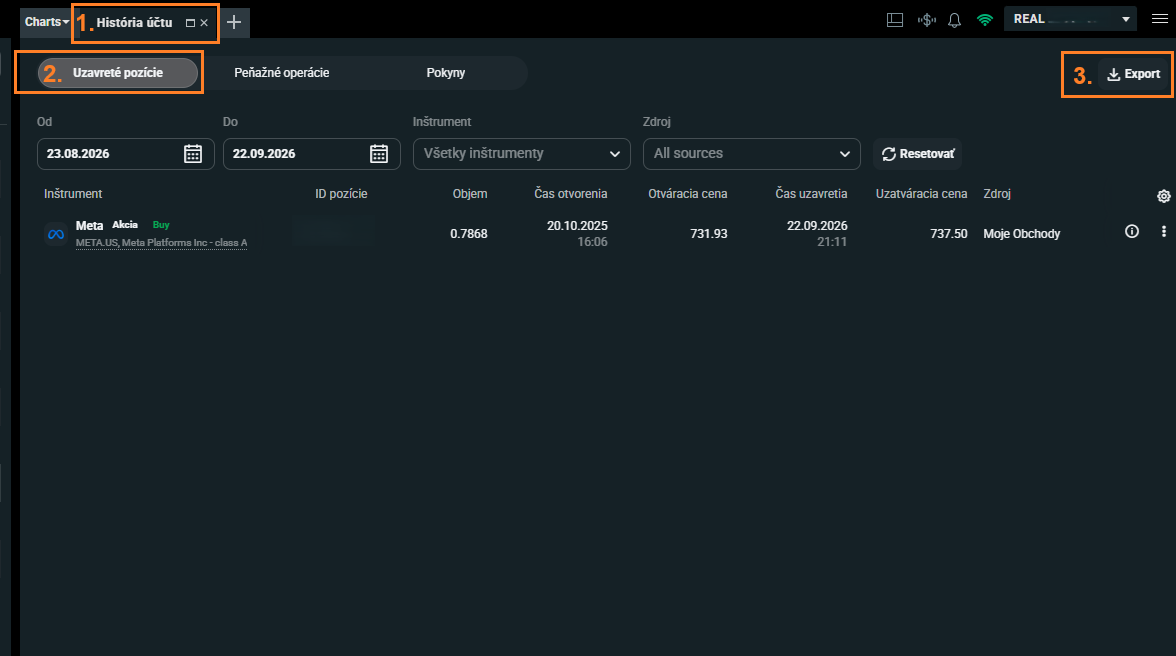
Swipe the screenshot to the side, or tap it to open it at full size.
2Select the full period
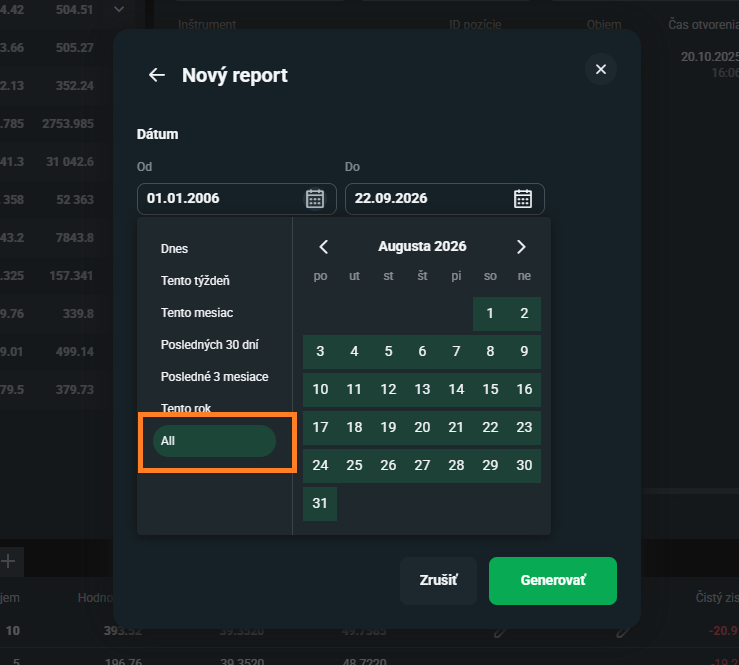
The New report window opens. Click the date field and, in the list on the left, select All. The report then includes the full history of the account since you opened it.
3Check the data and generate the report
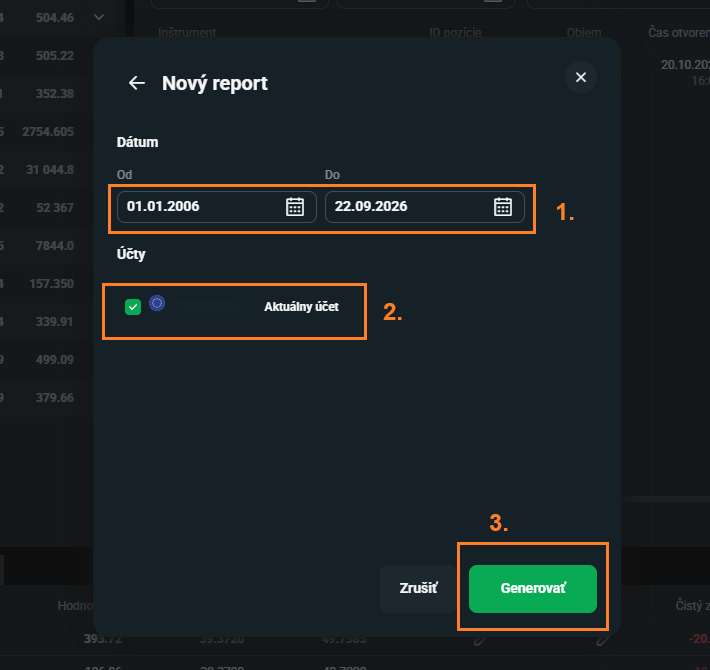
Make sure that the period starts no later than the day when you opened the account and ends today (1). In Accounts, select the account that you want to import (2). Click Generate (3).
4Download the report
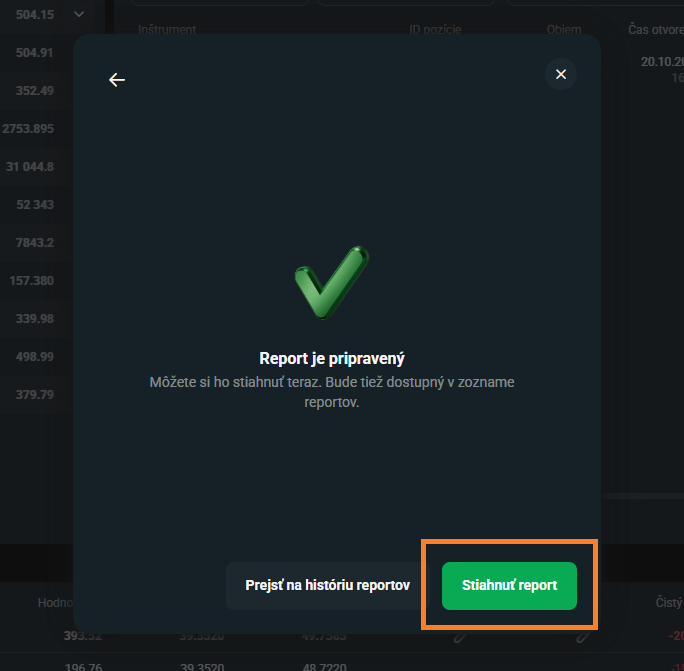
When the report is ready, click Download report. A ZIP archive downloads. You can also find it later in the report history.
5Extract the ZIP archive
Extract the downloaded ZIP archive, for example to the Desktop. In Windows, right-click the archive and select Extract All. In macOS, double-click it. A file with the .xlsx extension appears next to the archive (1). Its name starts with the currency of the account, for example EUR_.
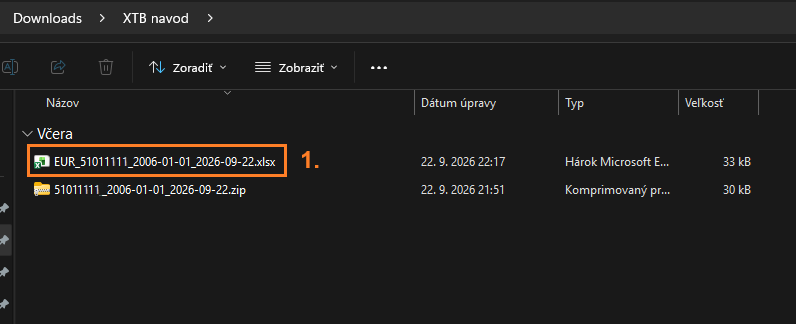
Swipe the screenshot to the side, or tap it to open it at full size.
6Upload the statement to Taxify
- 1.In Taxify, open Accounts and select your broker account. If you do not have one yet, create it.
- 2.On the Import trades tab, drop the files into the marked area or select them with the button. Upload every year.
- 3.When the processing is complete, you see the imported trades and you can start the tax calculation.
Tips
- Next year, upload a new export of the full history – Taxify skips the operations that it already has.
- We recommend XLSX: one workbook contains all tables (Cash Operations, Closed Positions, Open Positions). Taxify also reads a CSV export of one table – in that case, upload Cash Operations, which is the ledger of the account.
- Taxify does not calculate the interest on free funds yet. The import summary shows it as a notice.